Your AI assistant for family life
Stop juggling emails, texts, and sticky notes. Orbitra Home turns your family's chaos into a simple daily plan — automatically.
Family life shouldn't feel like project management
Between school emails, sports schedules, dentist appointments, and “who's picking up the kids?”, keeping your family organised is a full-time job. You need a system that actually works with how busy families live.
Email Overload
47 unread emails with buried action items
Calendar Confusion
Three different calendars, zero clarity
Mental Load
Carrying everything in your head, all the time
Meet Orbitra Home: AI that actually gets family life
Orbitra Home connects your Gmail and Google Calendar, then uses AI to extract what matters — tasks, events, and priorities — and packages it all into one simple daily digest.
AI Task Extraction
Forwards from school? Doctor's emails? Orbitra Home reads them and creates tasks automatically.
Unified Calendar
See everyone's schedule in one place. No more 'wait, who has soccer today?'
Family Chat Assistant
Ask Orbitra Home anything: 'What's on tomorrow?' or 'Who needs to be where at 3pm?'
Everything your family needs, in one place
Seven powerful features designed around how busy families actually live.
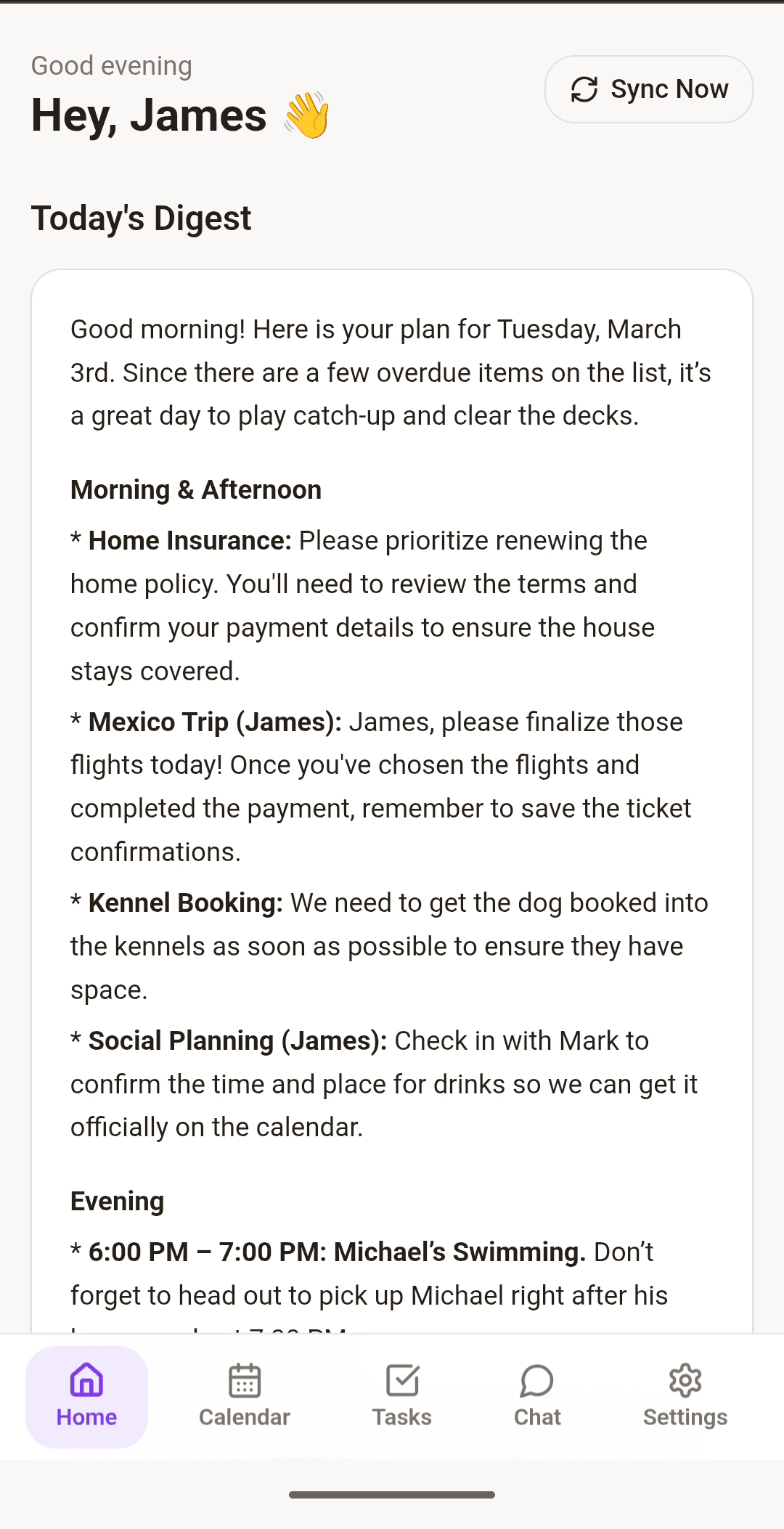
Stop manually adding tasks
Connect your Gmail and Orbitra Home's AI reads every email you label. School permission slips, appointment confirmations, package deliveries — Orbitra Home extracts the action items and adds them to your shared task list automatically.
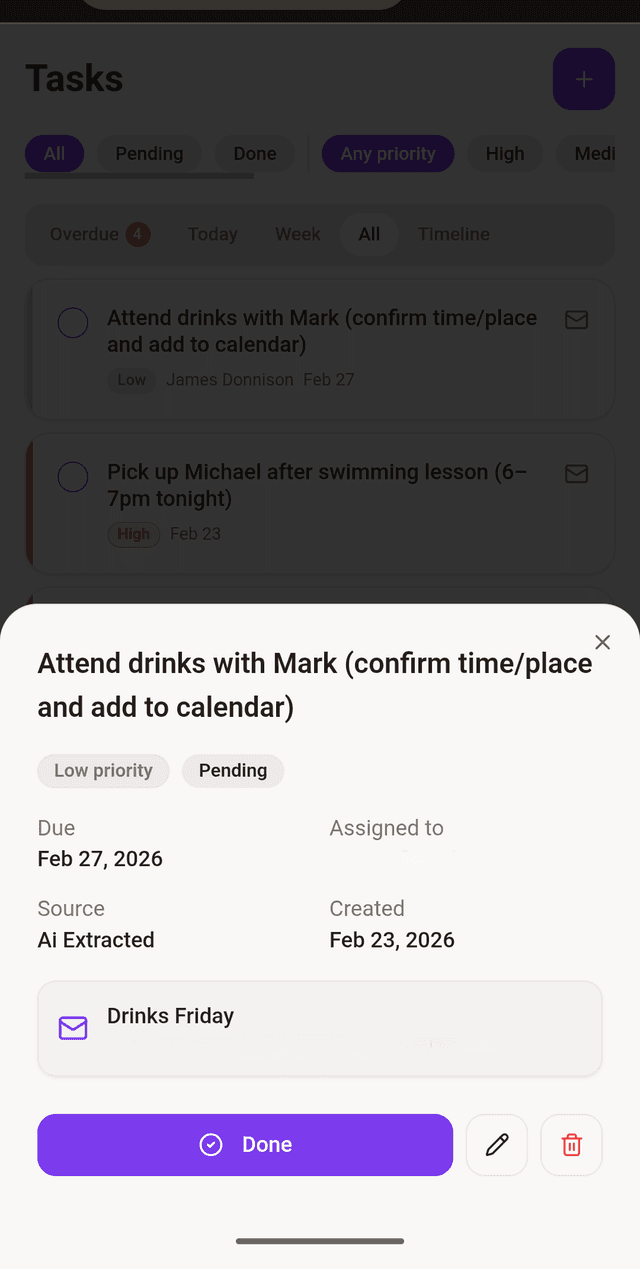
Everyone's schedule, one timeline
Orbitra Home syncs with Google Calendar to show the next 14 days for the whole family. Soccer practice, parent-teacher conferences, date night — it's all there. No more asking 'what's happening this weekend?'
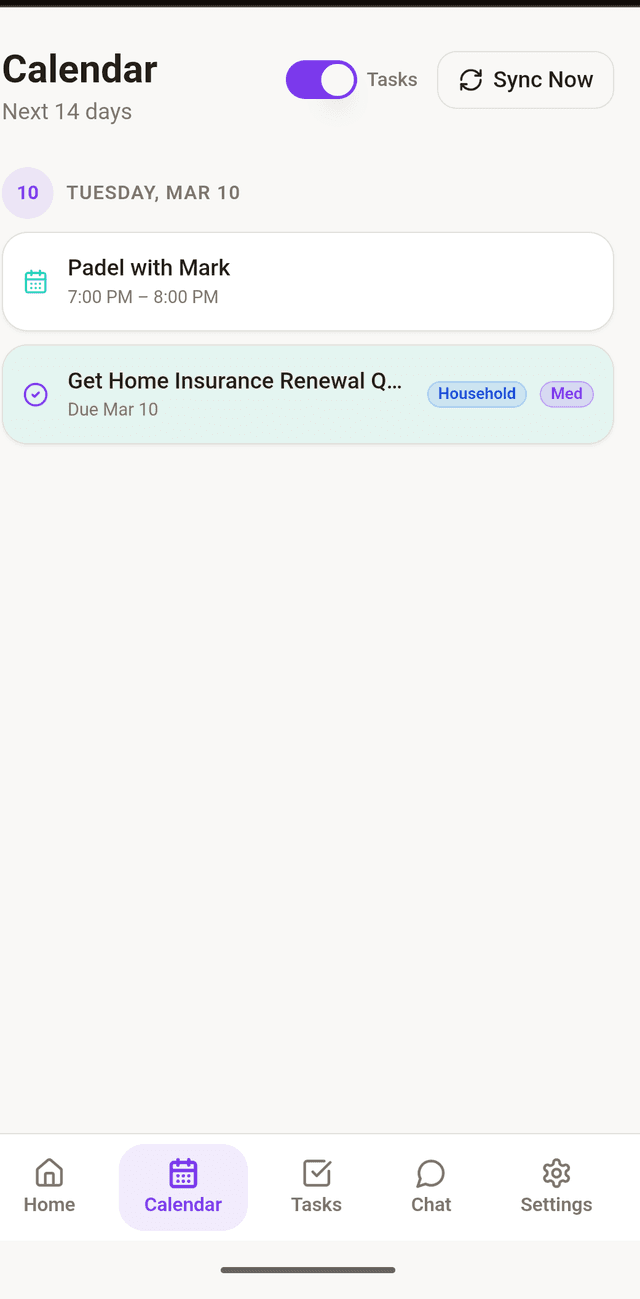
Your morning briefing, personalized
Every morning, Orbitra Home's AI creates a natural-language summary of your day. It's like having a personal assistant who knows exactly what your family needs to do today.
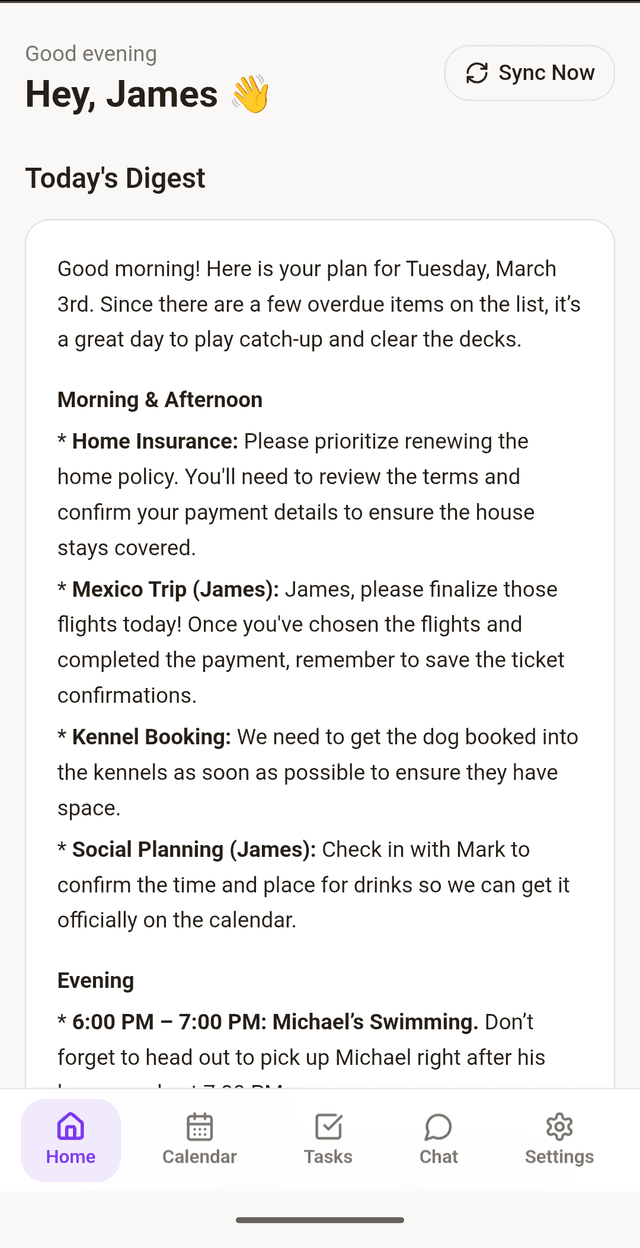
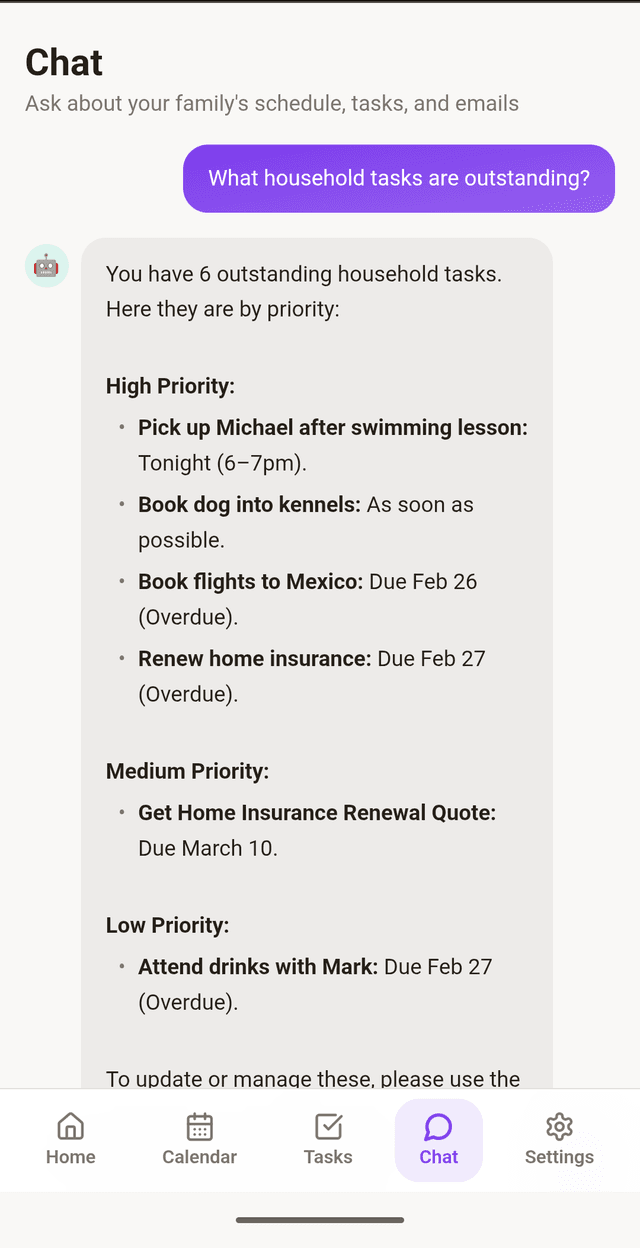
Ask Orbitra Home anything about your schedule
Can't remember when the next parent-teacher night is? Just ask. Orbitra Home's chat assistant has instant answers about your family's tasks, events, and commitments.
Everyone gets the right access
Add family members with role-based permissions. Kids can view the digest and mark tasks done, while parents can create and manage everything. Everyone logs in with their own PIN — simple and secure.
Family Permissions Screen
Forward anything to your family inbox
Every family gets a unique Orbitra Home email address. Forward confirmation emails, receipts, or reminders to it, and Orbitra Home's AI extracts the task. It's like BCC'ing your future self, but smarter.
Email Forwarding → Tasks
Reminders when you need them
Orbitra Home sends push notifications for upcoming tasks and events. No more surprise 'oh no, that was today!' moments.
Push Notifications
Get started in 3 simple steps
Download & Connect
Download Orbitra Home from the Google Play Store. Connect your Gmail and Google Calendar in seconds.
Let AI Do the Work
Orbitra Home's AI reads your emails and calendar, extracts tasks, and organises everything automatically.
Start Your Day with Clarity
Wake up to your personalised daily digest. Chat with Orbitra Home anytime to stay on top of family life.
Simple pricing for busy families
One plan. Everything included. No surprises.
Orbitra Home Family
Billed monthly. Cancel anytime.
- Unlimited AI task extraction
- Unlimited chat queries
- Up to 6 family members
- Gmail & Google Calendar sync
- Daily AI digest
- Priority support
- 7-day free trial
Try Orbitra Home free for 7 days. No credit card required until trial ends.
Questions? We've got answers.
Everything you need to know about Orbitra Home.
Ready to simplify family life?
Download Orbitra Home today and get 7 days free. No credit card required.
✓ 7-day free trial · ✓ No credit card required · ✓ GDPR compliant